No extra hardware
Nurtura — AI Caregiving App
Turn your old phone into a 24/7 AI caregiver.
App-only caregiver monitoring for child sleep issues, awake patterns, repetitive movement, crying, respiratory cues, seizure-like activity, wandering, and distress events.
Accessibility / AI Caregiving / Mobile AppConcept / early access landing page
Built for caregivers
Privacy-focused alerts
Problem
Families caring for children with autism, cerebral palsy, epilepsy, developmental disabilities, or other special needs often need overnight awareness but are already paying for therapies, equipment, and support.
The product must convert commodity phone sensors into useful caregiver alerts while staying careful about false positives, privacy, battery, placement, and non-medical-device positioning.
System Architecture
The hub is organized around provisioning, device control, MQTT messaging, and firmware lifecycle management so the system stays understandable as more devices are added.
App-Only Caregiving Flow
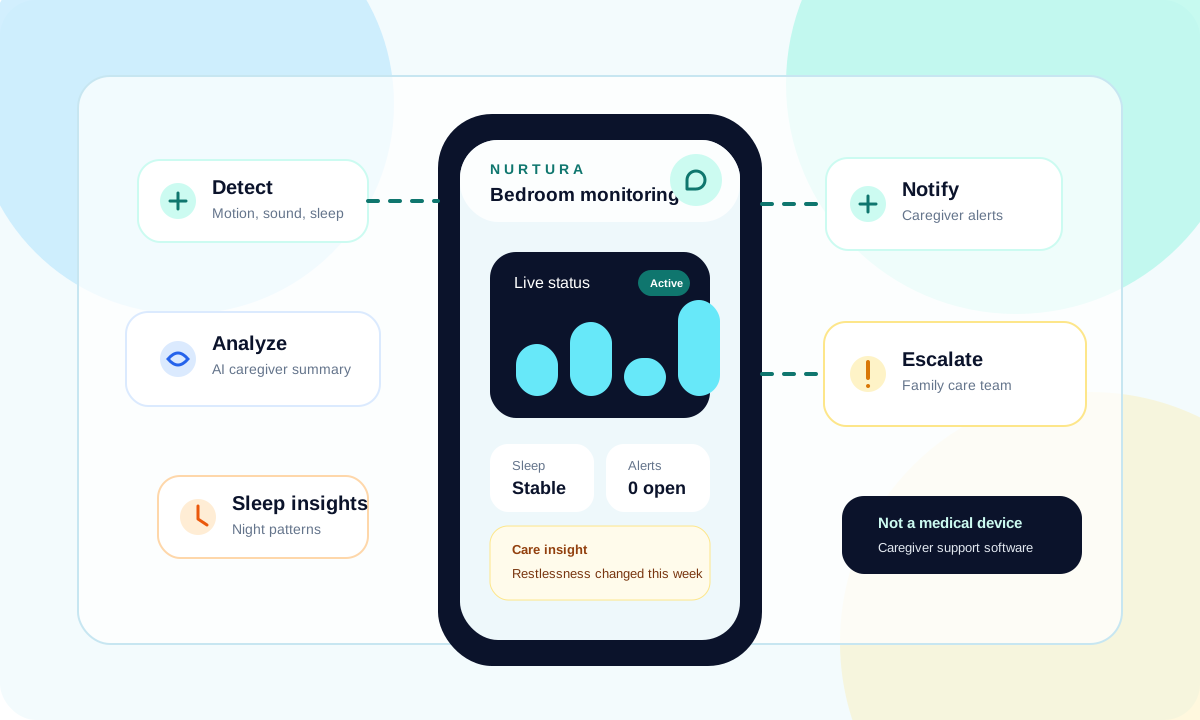
An old phone is placed beside a bed, room, doorway, or living area and sends caregiver alerts when AI identifies concerning patterns.
Caregiver Alert Path
The workflow moves from detect to record, analyze, notify, and optional escalation for configured caregiver teams.
Privacy-Controlled Monitoring
Recording, retention, sharing, camera use, and notification behavior are treated as explicit caregiver settings.
Hardware & Software Stack
| Product type | Mobile app only |
|---|---|
| Hardware requirement | Compatible old Android phone or iPhone |
| Monitoring areas | Bedside, room, doorway, or living area |
| Sleep signals | Awake patterns, repetitive movement, crying, and respiratory-sound cues |
| Primary users | Families, caregivers, and care teams |
| Medical positioning | Caregiver support; not a certified medical device |
How It Works
1. Install Nurtura
Install the app on a compatible old Android phone or iPhone and choose the caregiving scenario.
2. Place the phone
Position the phone beside a bed, room, doorway, or care area with proper power and permissions.
3. Receive caregiver alerts
Nurtura helps monitor patterns and sends caregiver alerts and AI summaries when something looks concerning.
Build Resources
Supporting artifacts for architecture review, collaboration, and follow-up implementation planning.
Need help building or extending a smart-device prototype?
Get support with architecture, firmware structure, validation, and production-minded IoT design.